Store Screenshot Studio
Generate App Store screenshots from real app states
Not just a mockup maker. Capture real iPhone and iPad screens in the right language, page, state, and sample data setup before final export.
macOS app. Start free with 100 successful exports/month.
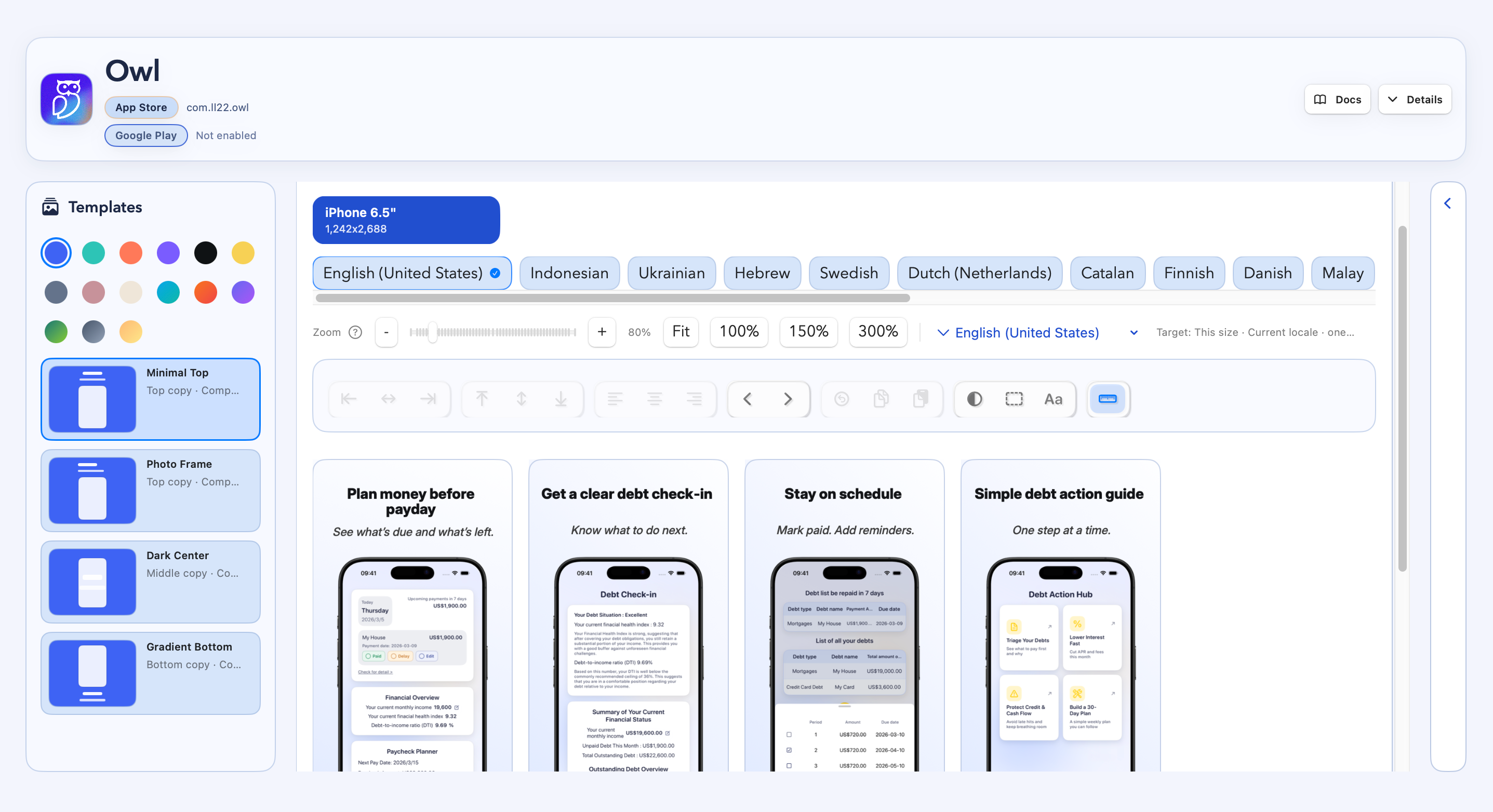
Create App Store-ready screenshots after the correct source screens have been captured.
How it works
Four steps from capture target to store-ready files.
Create an iOS project
Capture real app states
Apply copy and layout
Export App Store files
App Store capture
Create App Store screenshots by solving capture first
Start from the app
Capture the actual product screens that belong in the final App Store listing.
Control language and state
Prepare target locale, login state, sample data, paywall, onboarding, or empty state before capture.
Export final assets
Apply frames, localized copy, backgrounds, and output folders for App Store Connect.
Demo
See real iOS screens become App Store screenshots
FAQ
Questions before you download.
Is this an online App Store screenshot generator?
No. Store Screenshot Studio is a macOS app for capturing, localizing, styling, and exporting screenshots. The website handles account, billing, download, and support.
Does it support iPhone and iPad screenshots?
Yes. You can work with iPhone and iPad screenshot sizes through the macOS workflow.
Do I need deeplinks?
Automatic capture works best when your app can open the screens you want through deeplinks, routes, or intent URLs. You can also use manual uploads for screens that cannot be automated yet.
Can it prepare sample data?
You can run setup links before capture, use demo accounts, or pass state through your capture links so screenshots use stable sample data instead of live user data.
Can I use it for free?
Yes. You can start free with 100 successful exports per month. Failed exports do not count against that limit.