From the right app state to final store assets.
Define screens and languages
Choose iOS, Android, or both, then add the screens, devices, locales, and screenshot count the store listing needs.
Open the right app state
Use capture targets to reach the exact page, language, login state, paywall, empty state, or filled state.
Seed sample data
Prepare clean demo data or run a setup link before capture so screenshots show the same reliable state.
Finish and export
Apply localized copy, preview layouts, then export upload-ready App Store and Google Play folders.
REPLACE THE OLD PROCESS
Built for the part that makes store screenshots painful.
Stop switching languages by hand
Make locale part of the capture target so the same screen can be captured for each market without changing global device language every time.
Stop navigating to the same pages
Use deeplinks and saved targets to open onboarding, paywalls, settings, detail pages, and other screenshot screens directly.
Stop rebuilding sample data
Run setup links or use stable demo data so screenshots show the intended login state, empty state, filled state, or feature state.
ONE WORKFLOW
Capture the right language, screen, state, and sample data first.
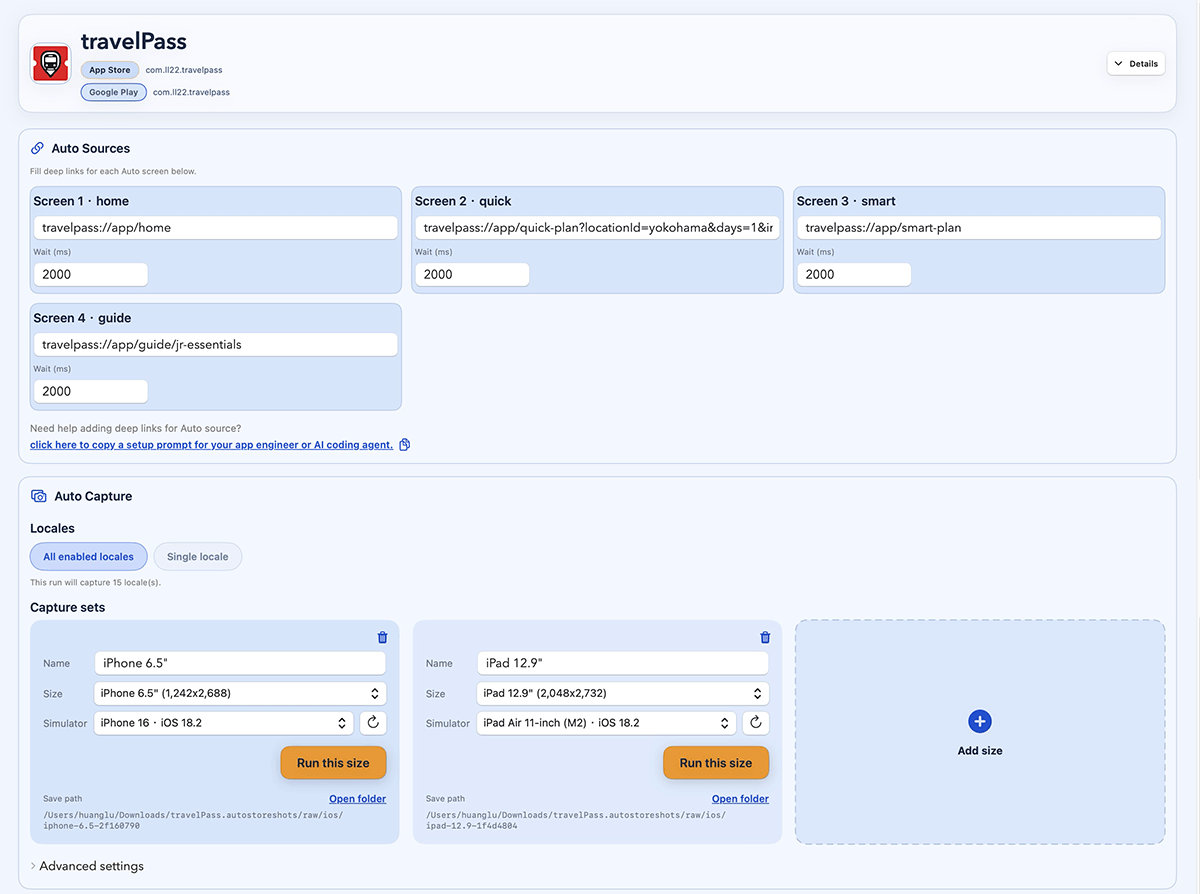
Capture the exact app state
Use deeplinks and saved capture targets to open the right screen, language, state, and data before each store screenshot is taken.
- Capture onboarding, logged-in, paywall, empty, and filled states without repeating the setup by hand.
- Keep screen routes, devices, locales, wait timing, and capture targets in one place.
- Run the same capture setup for a new launch, localized rollout, or app update.
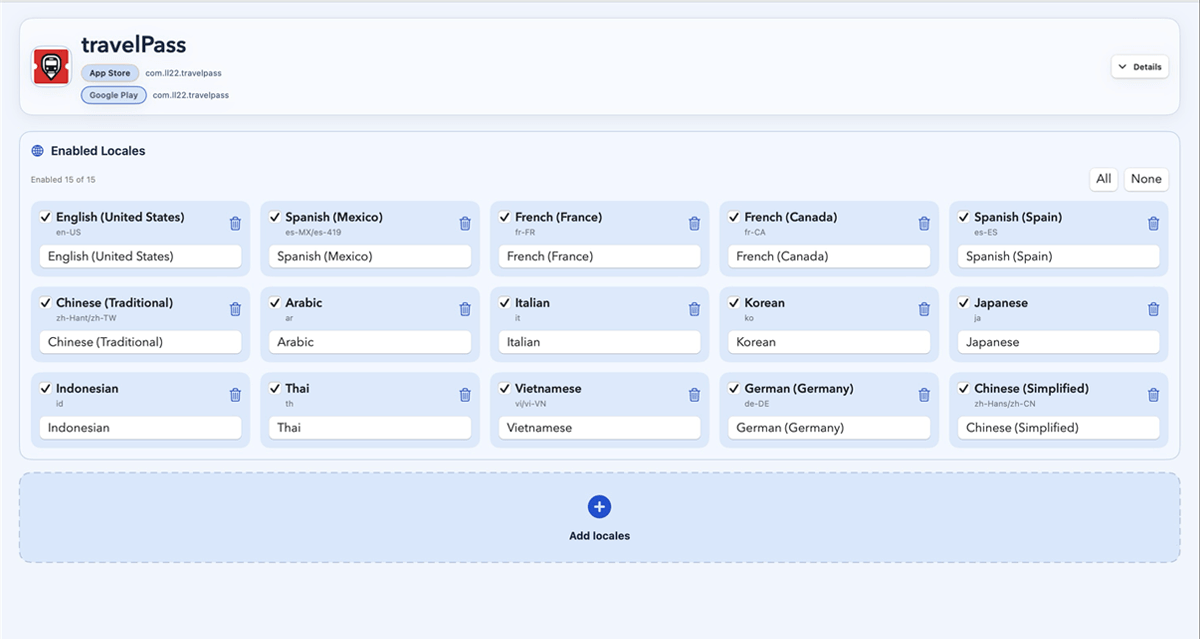
Switch languages for screenshots
Treat language as part of the screenshot target so each capture can use the intended locale without manual simulator or device switching.
- Add languages by name, locale code, or comma-separated input.
- Prepare localized screenshot copy with TSV/CSV input and review it before export.
- Catch long translations and layout breaks while the screenshot set is still editable.
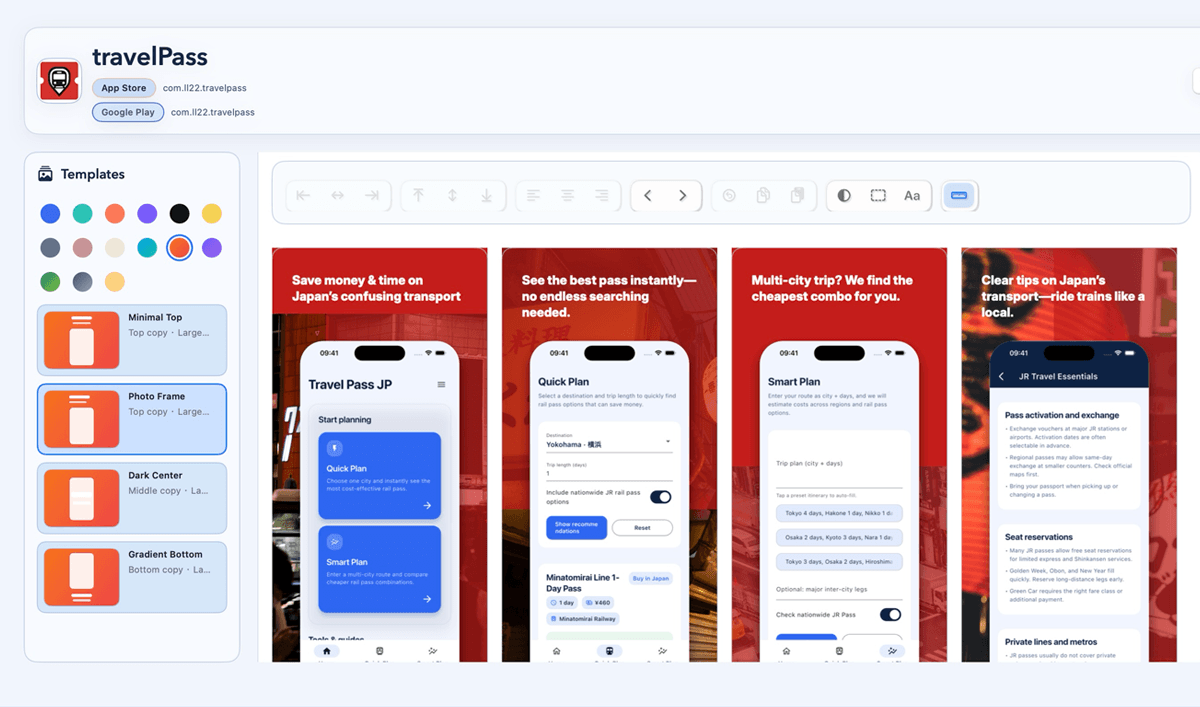
Finish the store layout
After the right app screens are captured, apply reusable store screenshot layouts, typography, backgrounds, frames, and localized copy.
- Keep one visual system across languages, screenshots, and platforms.
- Tune the final look without going back to rebuild source captures.
- Preview the captured screens and localized copy together before export.
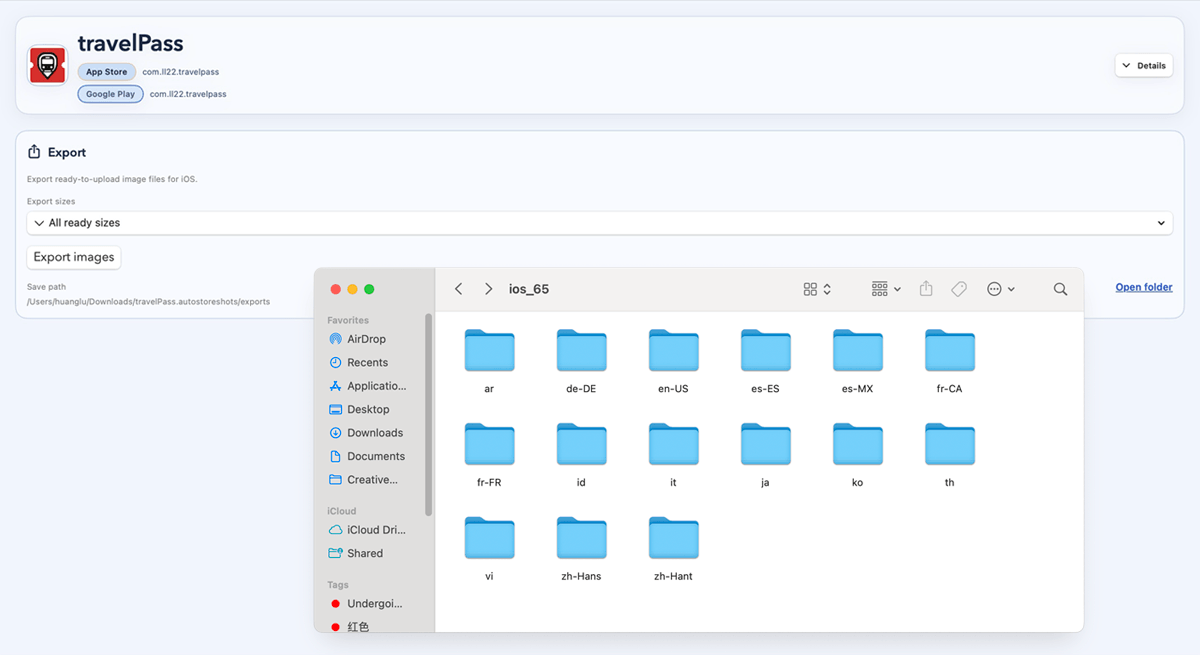
Export store-ready folders
Turn captured screens, localized copy, and templates into organized App Store and Google Play folders in one batch.
- Free includes 100 successful exports each month.
- Paid plans unlock unlimited successful exports for frequent launches, updates, and locale work.
- Billing, support, and Showcase submissions stay tied to the same account.
MADE TO MOVE FASTER
The small capture details that save the most time.
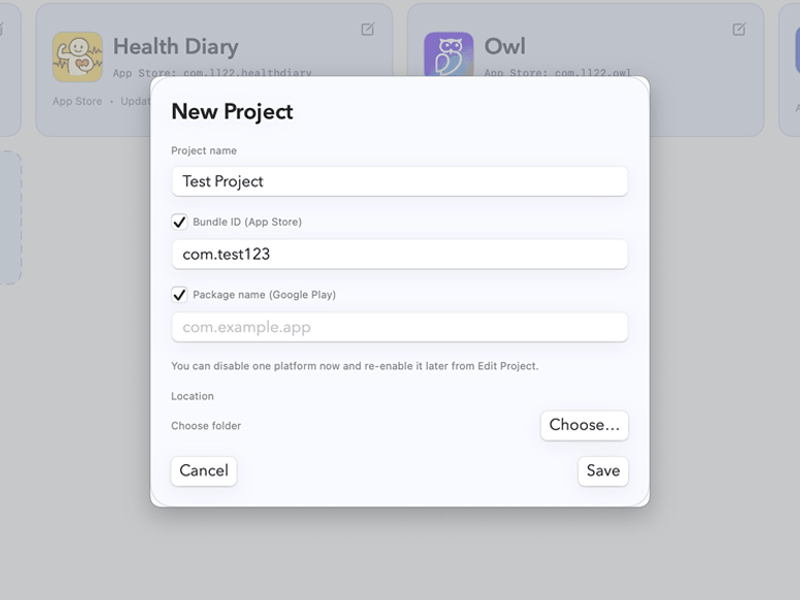
Add every target language in one place.
Search by language name, locale code, or paste a list when the screenshot set needs several markets.
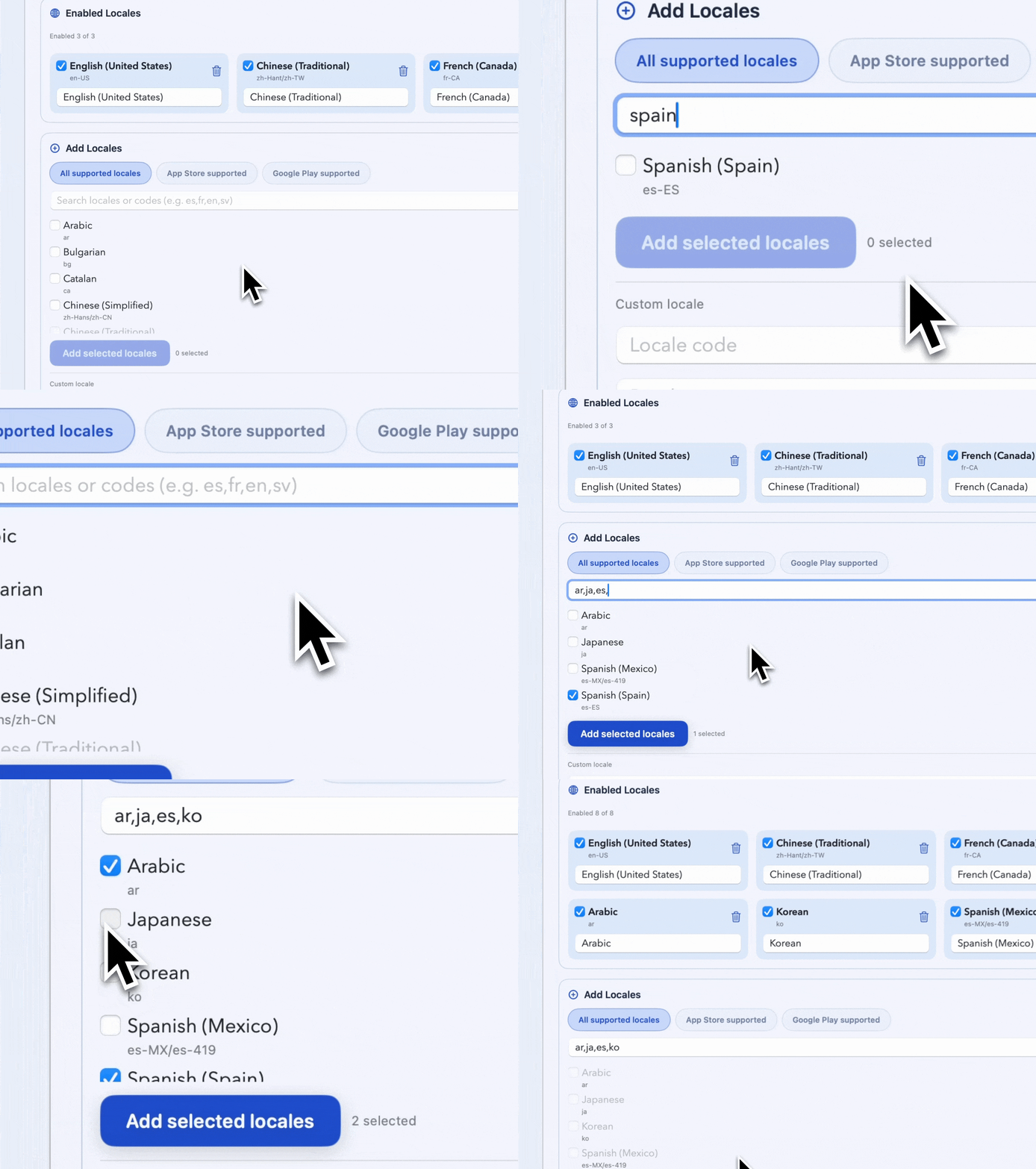
Open screens through capture targets.
Use deeplinks or saved routes to reach the product page, onboarding step, paywall, detail view, or settings screen you need.
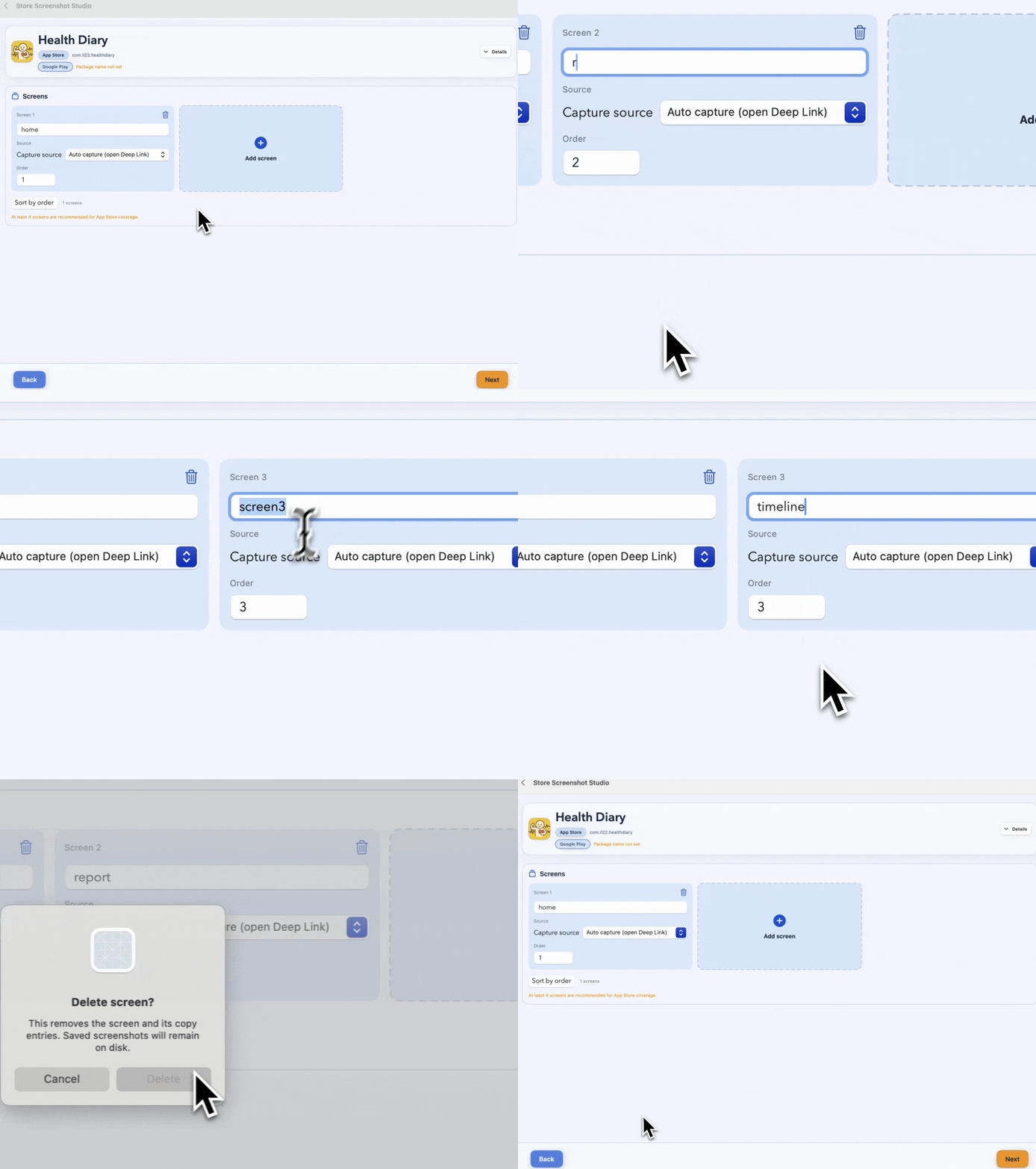
Capture logged-in and special states.
Prepare paywalls, empty states, filled states, feature flags, and account states before the screenshot is taken.
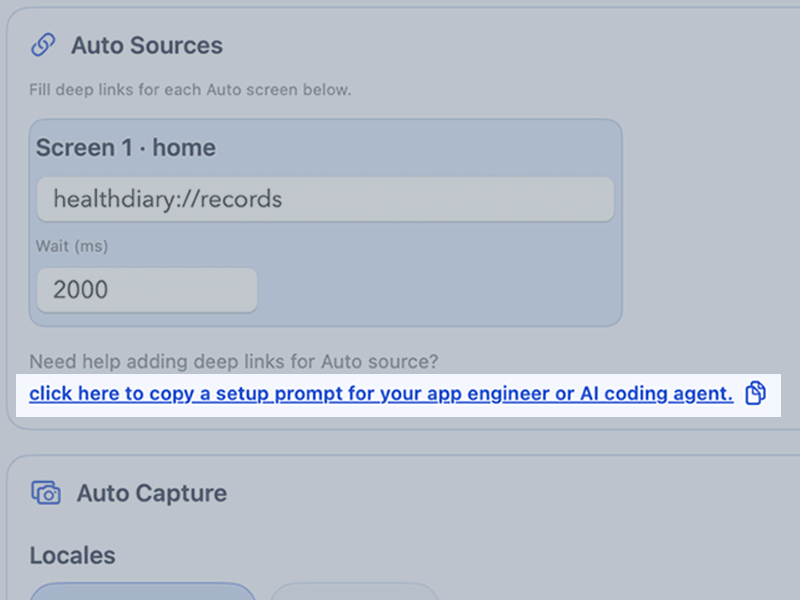
Run setup links for sample data.
Set up demo records, environment flags, login state, or default selections before the final capture link opens.
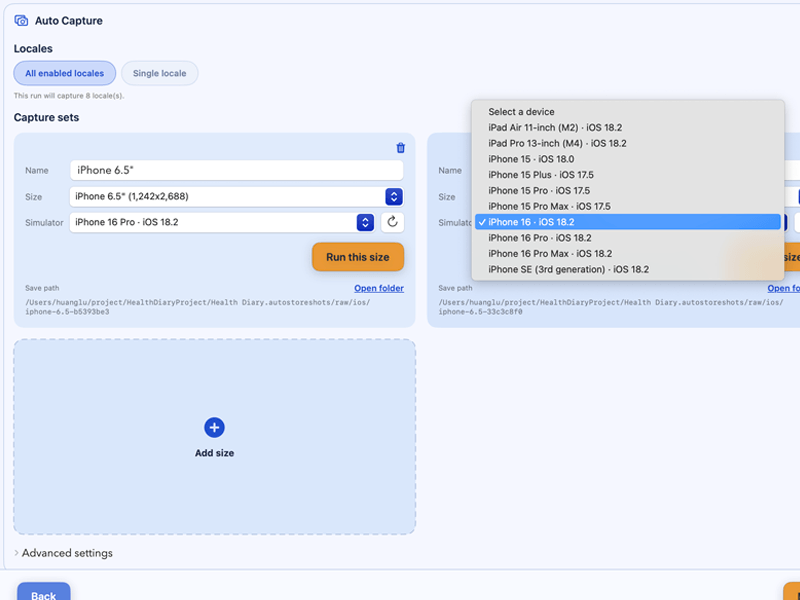
Map devices and store sizes once.
Device presets and output dimensions are prepared for iOS and Android store requirements.
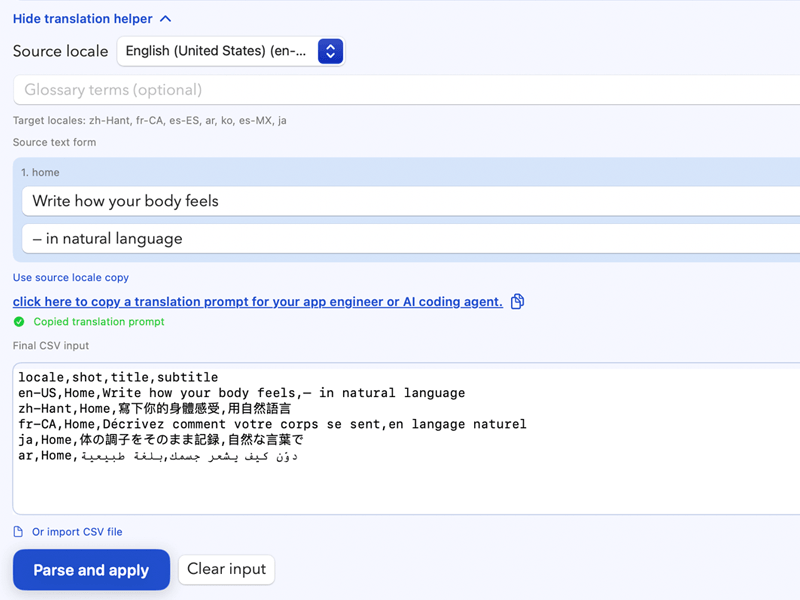
Review localized copy with the capture.
Paste TSV/CSV copy, check language variants, and catch text that breaks the final screenshot layout.
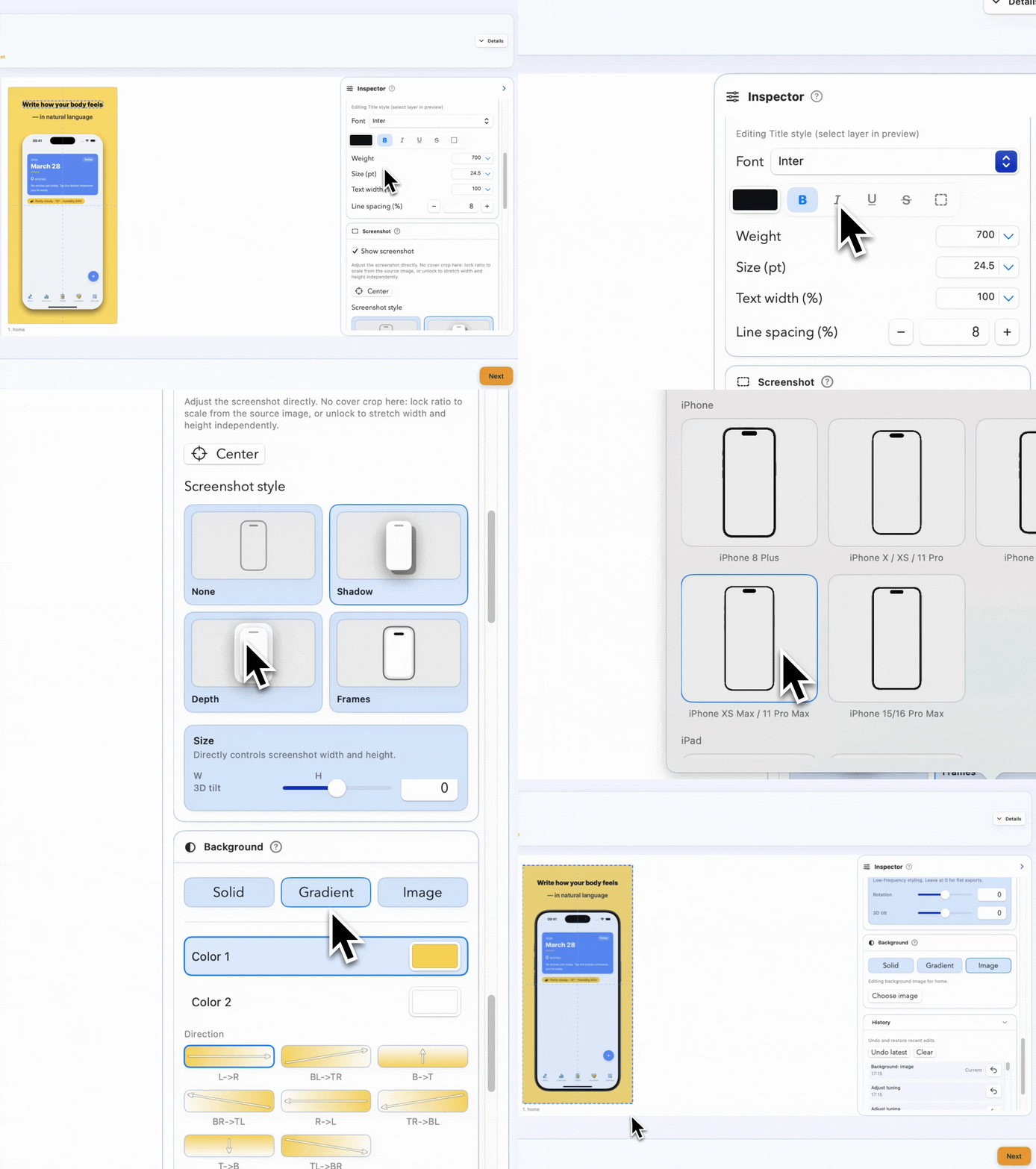
Export the full store set together.
Once the source captures are right, apply templates and generate organized App Store or Google Play folders.
WHO IT'S FOR
Built for launches, updates, and localized store listings.
Developers launching new apps
Prepare first store screenshot sets when every image needs the right language, screen, state, and demo data.
Developers updating existing apps
Regenerate screenshots after UI, copy, pricing, onboarding, or supported locale changes without repeating the setup manually.
ASO and small product teams
Capture localized app states, review store copy, and export complete sets without waiting on manual capture passes.
REAL OUTPUT
Proof the capture and export flow holds up in production.
Usage metrics come from backend export and project events. Quotes in this section are beta and early-access user feedback.
2,700
Successful exports
34
Projects created
87
Supported locales
18
Device presets
RESOURCES
Use the same capture flow on real store requirements.
Localized capture
Localized app screenshots
Learn how to capture store screenshots across languages without manually changing simulator or device language.
App states
App state screenshots
Capture logged-in screens, onboarding, paywalls, empty states, and filled states from repeatable targets.
Case study
Owl Czech iOS screenshots
See a real project setup with Czech copy, deeplink targets, raw app screens, final exports, and organized folders.
Showcase Program
Share your work. Earn free months of Pro.
Submit screenshots or a short recording. If we feature it, you get rewarded.
PRICING
Start free. Scale when screenshot capture gets busy.
Free
$0
Start free while you build and test your screenshot capture flow.
- 100 successful exports per month
- Only successful exports count
- Support ticket access
Pro Plan
$15.99
/monthUnlimited successful exports for launches, updates, and localization work.
- Unlimited successful exports
- Switch to yearly anytime
- Use the same account in the app and on the web
- Showcase Program eligibility
Power Plan
$9.9
/monthBest value when store screenshot capture is part of your ongoing app work. Billed yearly at $119.
- Unlimited successful exports
- Best value for frequent releases
- Save more with yearly billing
- Built for teams shipping all year
FAQ
What to know before you start.
How many exports do I get on Free?
Free includes 100 successful exports per month. Failed exports do not count against that limit.
Who is Store Screenshot Studio best for?
It is most useful when your store screenshots need real app screens in specific languages, pages, states, devices, or sample data setups. That can happen during a new launch or an update.
Is this only for existing app updates?
No. New app launches often have the same problem: many screenshots need different languages, pages, states, and demo data before they can be exported.
Why does billing happen on the website?
Checkout and subscription management happen on the web, but the app and website still use the same account and plan.
Will the app update after web checkout?
Yes. Refresh the app and the latest plan state will appear from the shared backend.
What can I upload to support or Showcase?
Support accepts up to 3 JPG or PNG images per message. Showcase submissions can include up to 9 images and 1 short video.