2026-05-13 · 7 min read
Localization multiplies every screenshot task
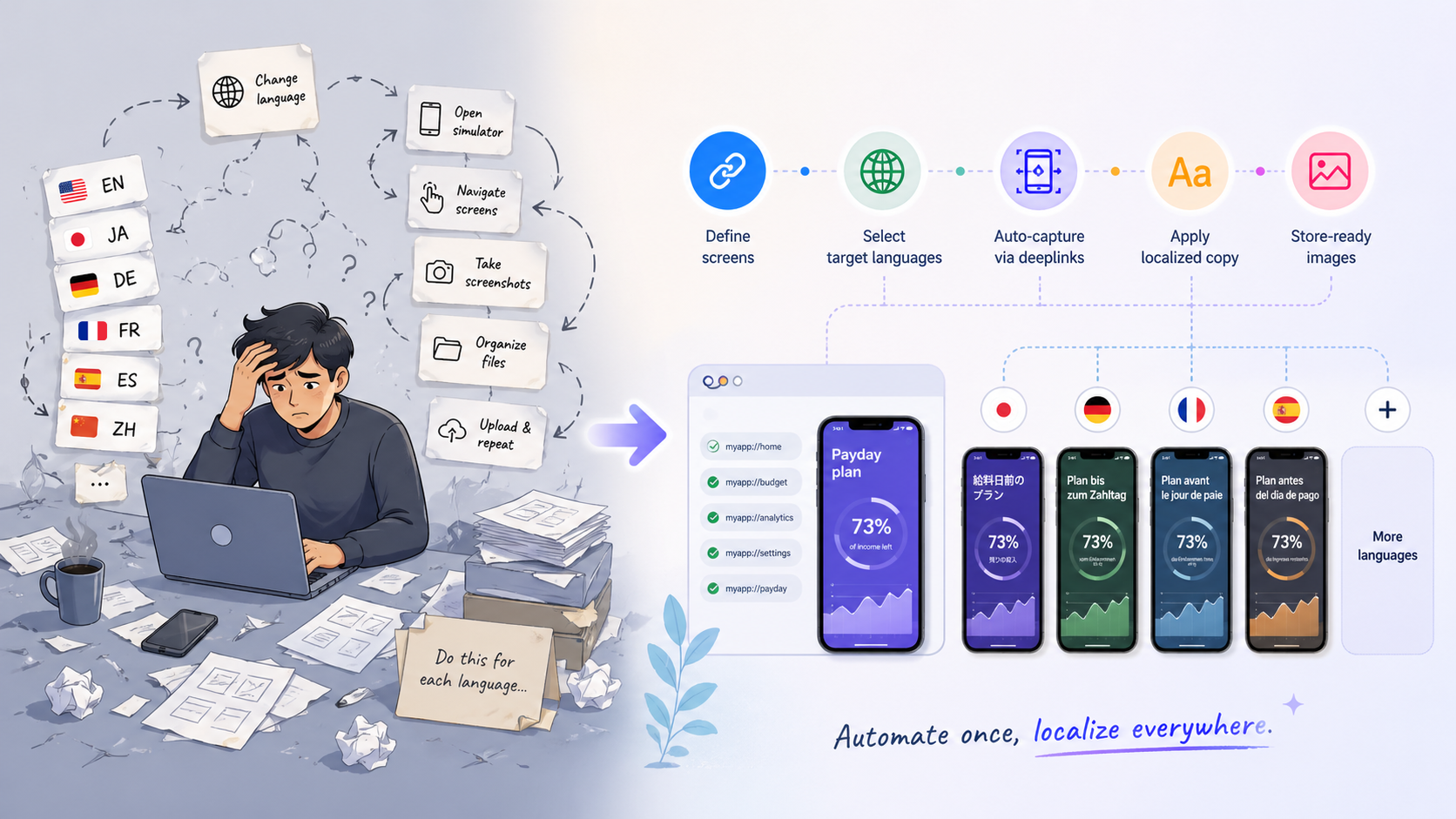
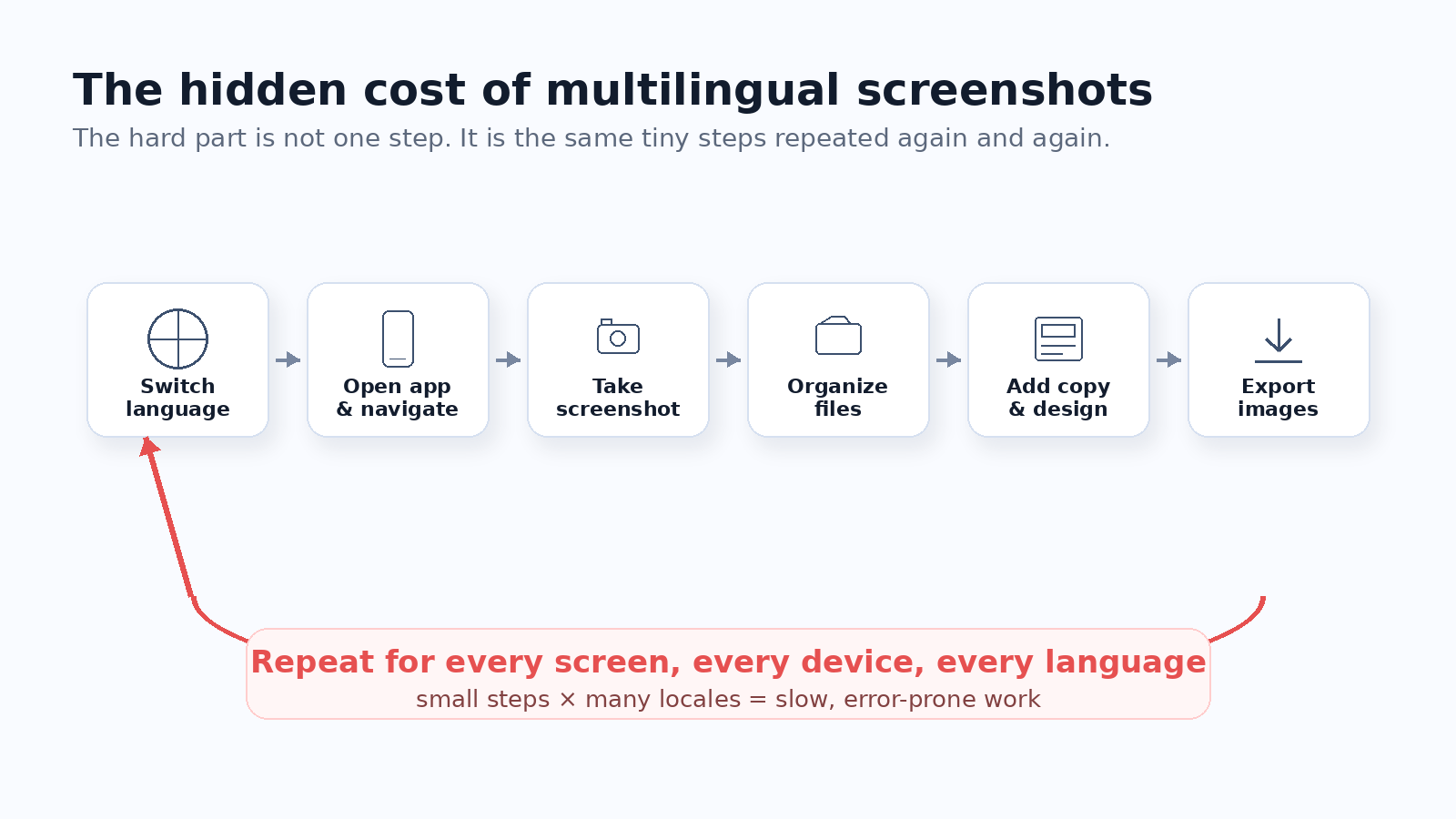
A normal app screenshot workflow already has many small steps: open the simulator, switch language, open the app, navigate to the right screen, capture the screenshot, save the file, add marketing copy, adjust the layout, and export the final image.
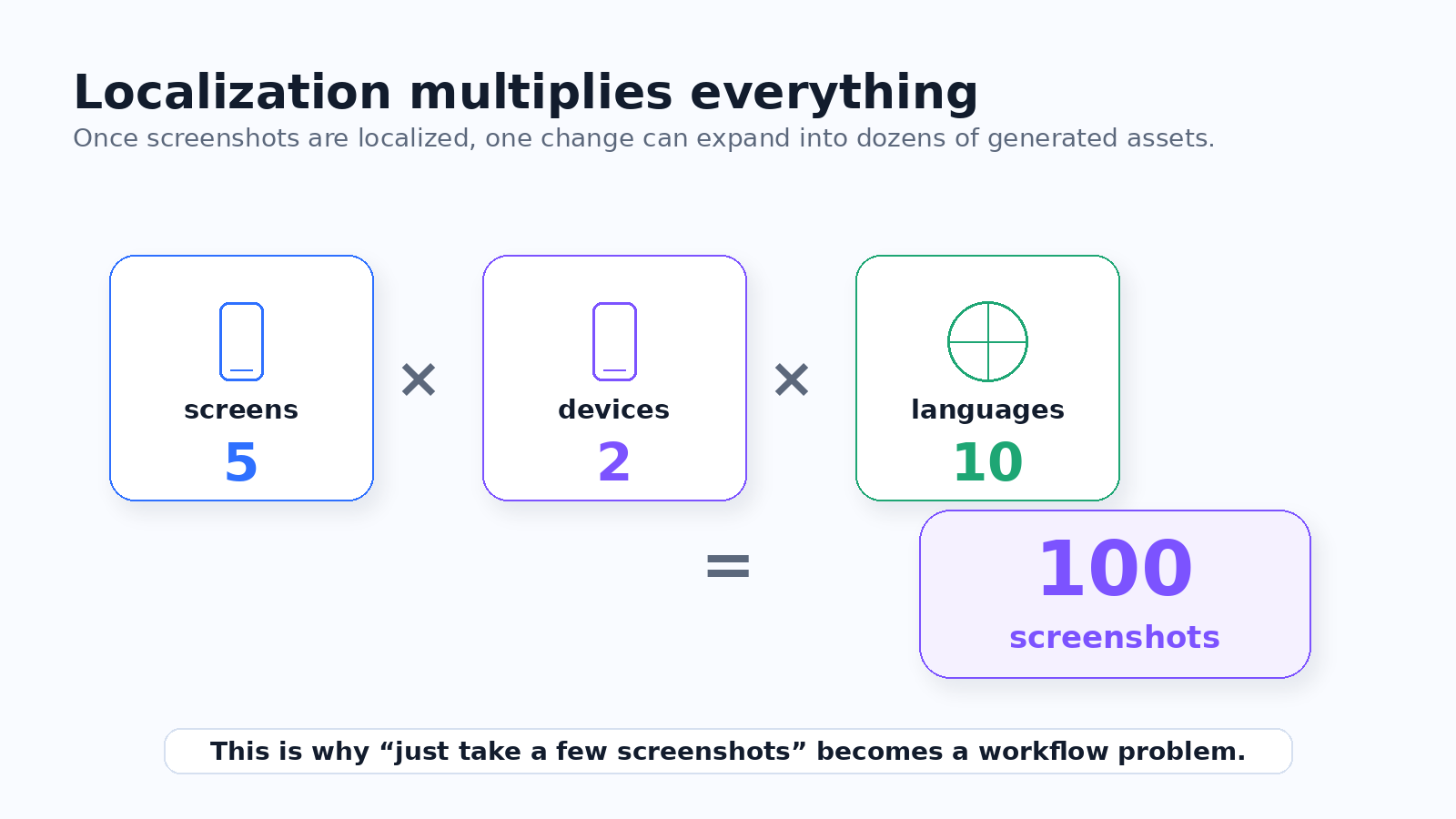
Now multiply that by screens, devices, and locales. Five screens, two devices, and ten languages already means 100 screenshots before you count revisions.
The problem is not that any single step is difficult. The problem is that every small step repeats, and repeated manual work creates release risk.
- One forgotten screen can break a localized store listing.
- One wrong device size can force a full re-export.
- One headline change can multiply across every language.
The old workflow starts too late
Most screenshot tools start from the assumption that you already have screenshots. That works if you only need a few images, but it misses the hardest part of multilingual screenshot localization.
For a localized app, getting consistent source screenshots is already a large part of the job. You switch language, open the app, navigate to a target screen, capture, repeat, then do it again for every locale and device.
This is why many indie developers localize the app itself but skip localized store screenshots. They care about ASO. The workflow is just too heavy.
A better screenshot workflow has four layers
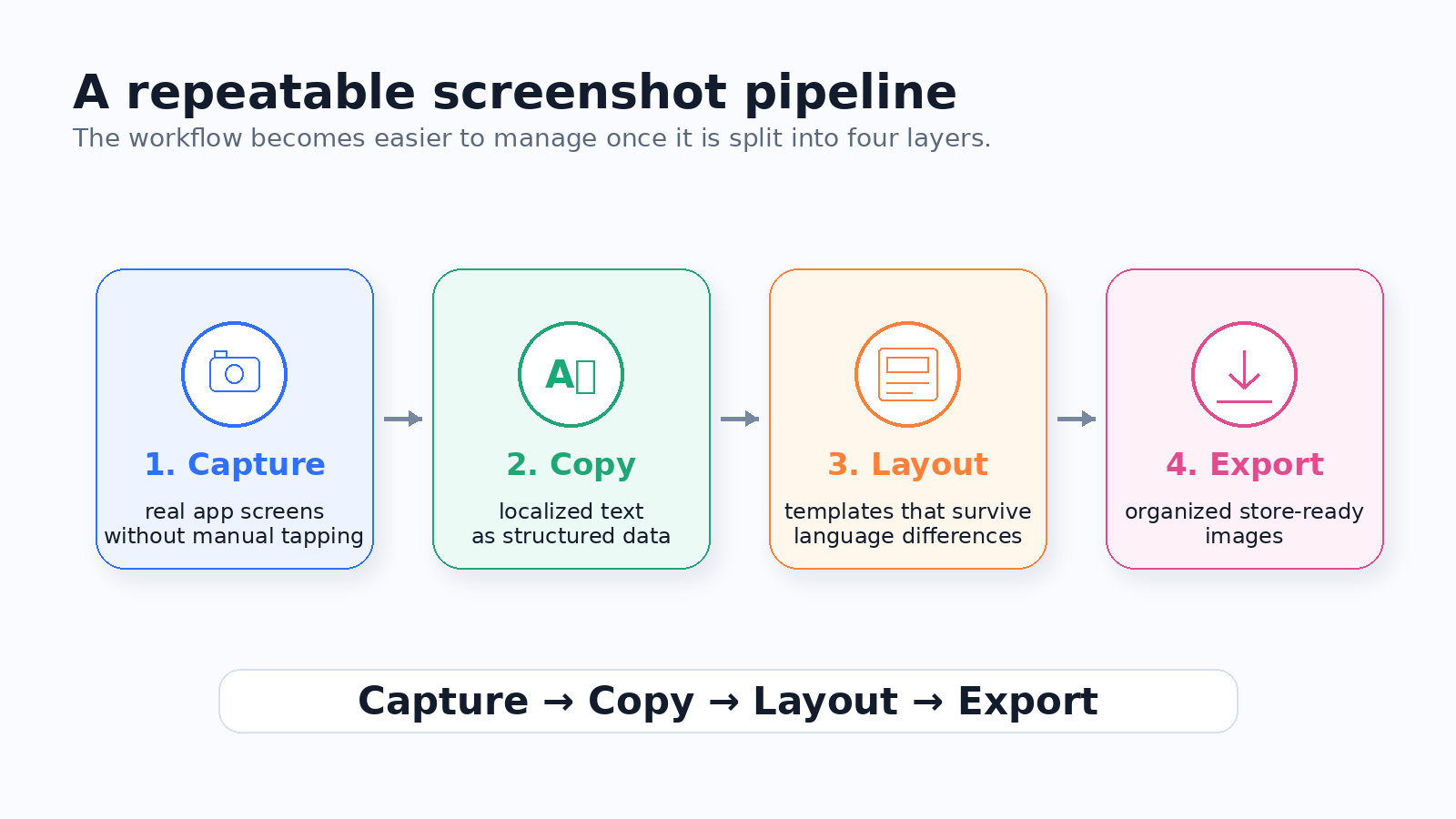
The shift that helped me was breaking the workflow into four layers: capture, copy, layout, and export.
Try screenshot capture
Capture store screenshots across languages, screens, states, sample data, and devices.
Try Store Screenshot Studio freeCapture gets the real app screens. Copy manages localized marketing text. Layout combines screenshots and copy visually. Export generates the final store-ready images for App Store Connect and Google Play Console.
Once the work is split this way, screenshot localization stops being one vague problem. Each layer can be improved, tested, and repeated separately.
Layer 1: Capture the same screens automatically
The capture layer answers one question: how do I get the same screens across multiple languages without doing it manually?
Manual capture does not scale well. If you need five screens across ten languages, that is already fifty captures. Add iPhone, iPad, and Android devices, and the number grows again.
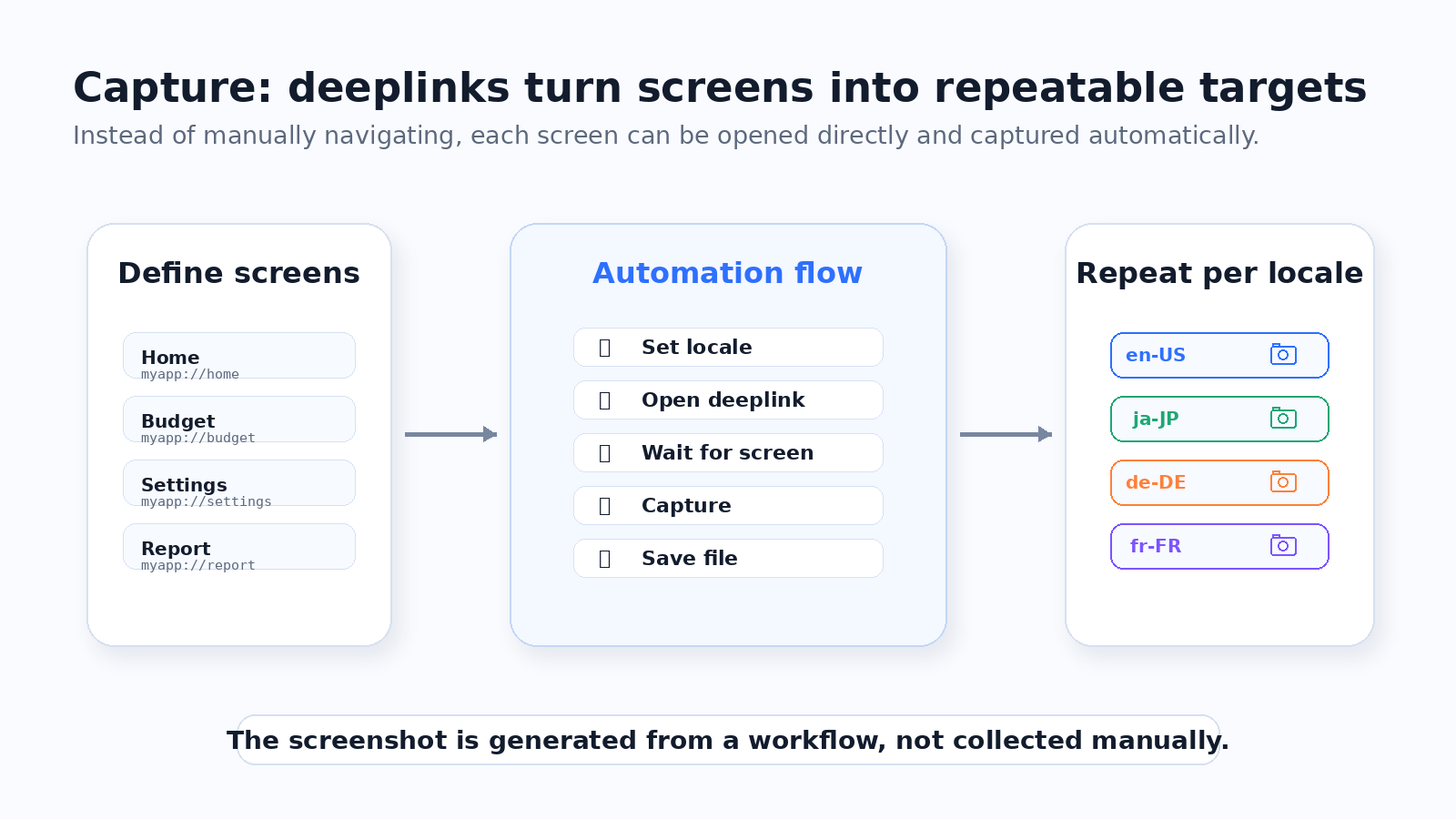
The key idea is to define important screens once and make each screen directly reachable. Deeplinks are useful here because they let the capture process jump straight to a target screen.
- Define screens such as home, upgrade, settings, or onboarding.
- Open each screen through a deeplink instead of tapping manually.
- Set the locale, wait for the screen, capture, and move to the next target.
Layer 2: Treat screenshot copy as structured data
Localized screenshots usually need short marketing copy: a title, a subtitle, and sometimes a small label or callout.
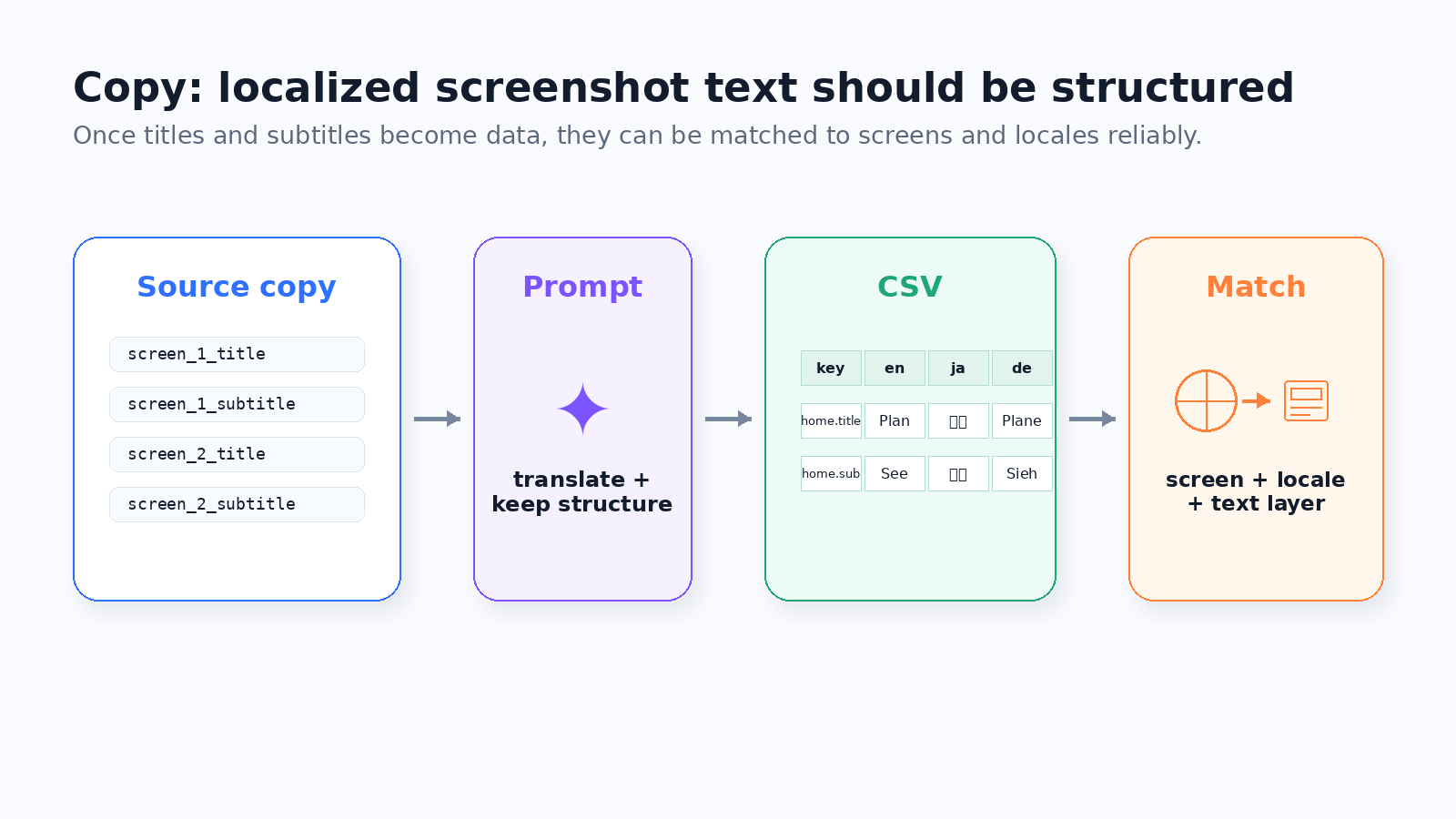
When there is only one language, copy can live almost anywhere. Once there are many languages, copy becomes a data problem. You need to know the screen, locale, title, subtitle, and final text that belongs on each exported image.
A practical flow is to write source copy, generate a translation prompt, return translations in CSV or TSV format, and match that structured copy to each locale during preview and export.
Layer 3: Preview layout problems before export
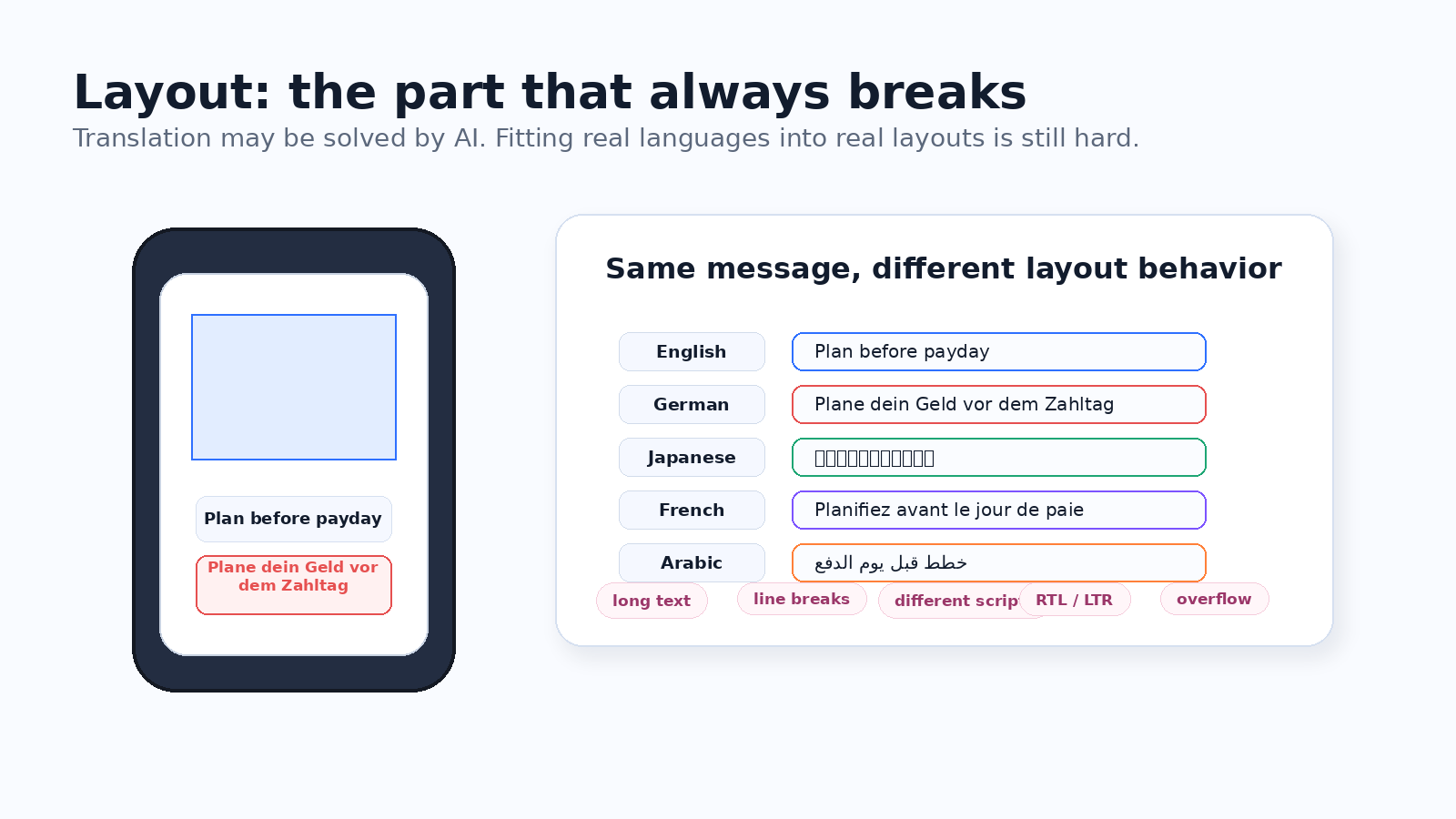
Layout is where screenshot localization breaks. English can be short, German can be long, Japanese can be compact, and different scripts need different spacing decisions.
A template that looks perfect in English may overflow in German or feel empty in another language. That is why multilingual screenshot work needs preview and adjustment, not only image generation.
The goal is not to tweak every file by hand. The goal is to catch real localization edge cases before export, while keeping one shared visual system across languages.
- Long titles and subtitles need predictable wrapping.
- Different scripts need stable font and spacing rules.
- Safe areas and device positions should stay consistent.
Layer 4: Make export boring and repeatable
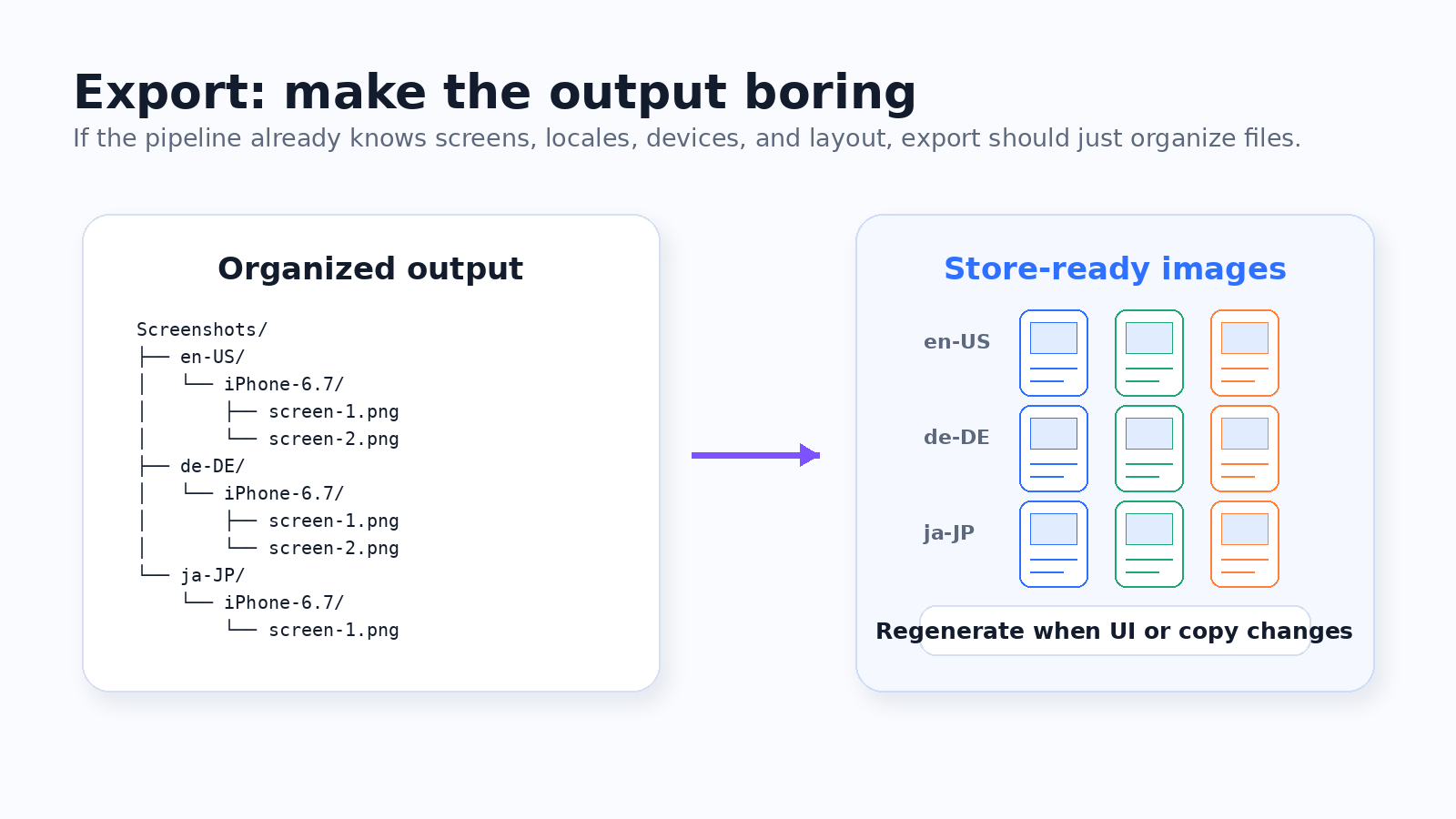
Export should be the boring layer. By the time you export, the workflow should already know the screens, languages, copy, layout, device sizes, and platform targets.
Instead of manually saving files, renaming them, and checking folders, the system should generate organized output for each locale and device.
When export becomes predictable, you can update store screenshots more often without turning every release into a design and file-management project.
Before and after the workflow change
The point of this workflow is not to make screenshots magically beautiful. The point is to make the process repeatable.
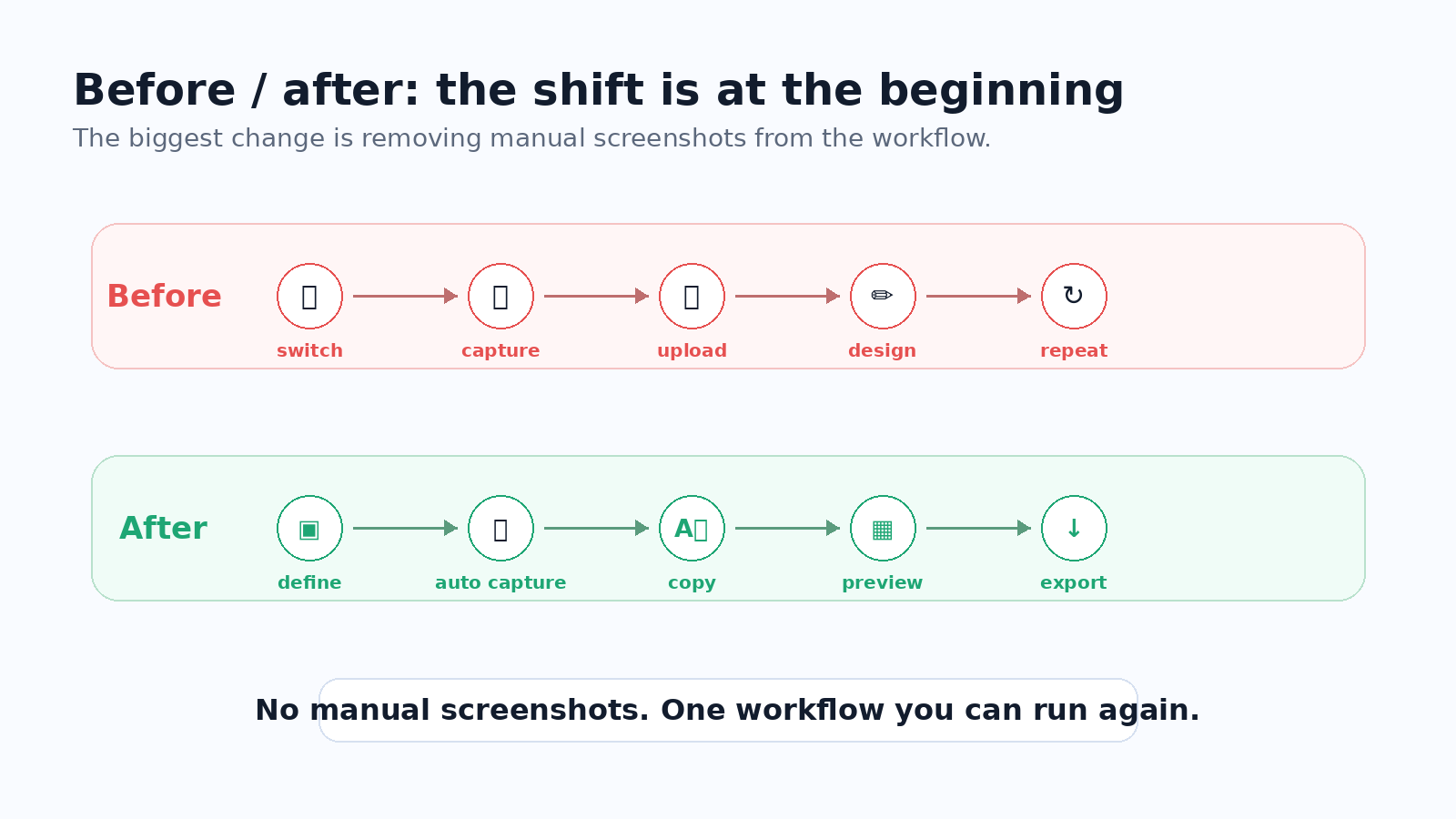
Before, the workflow was switch language, take screenshots, upload files, adjust copy, export, and repeat. After, the workflow is define screens, auto capture, apply localized copy, preview layout, and export.
The biggest difference is at the beginning: no manual screenshots. Once screenshots can be captured automatically, supporting more languages becomes much more realistic.
Why this matters for indie developers
Large teams often have designers, marketers, localization managers, and QA processes. Indie developers usually do not.
For an indie developer, every hour spent switching languages, preparing states, and recreating App Store or Google Play screenshots is an hour not spent building the product.
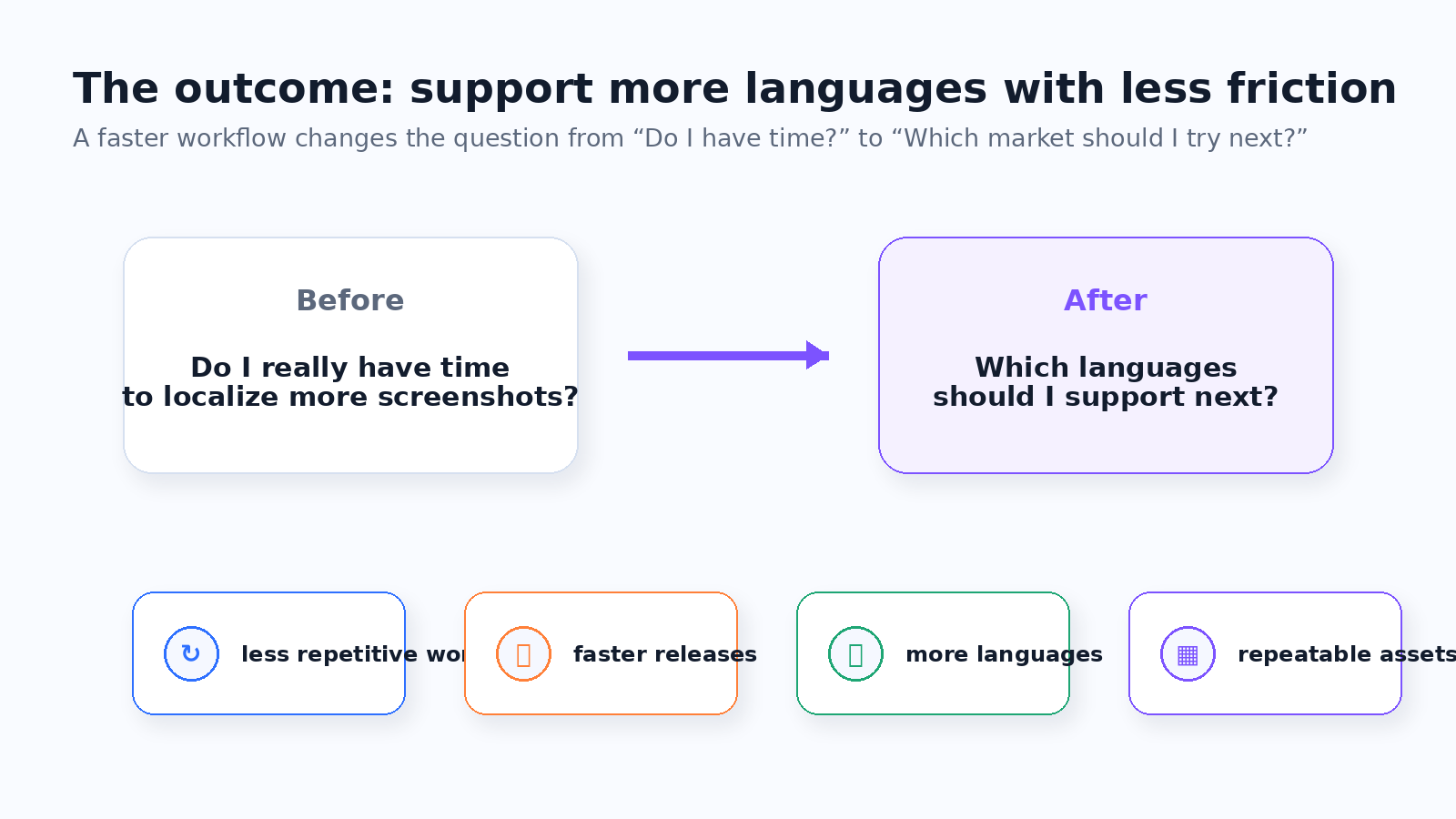
A workflow that saves thirty minutes per release may not sound huge at first. But if it makes localization easier to repeat, it changes the question from whether you have time to support more languages to which languages you should support next.
Final thought
Most screenshot tools help you design screenshots. That is useful, but for multilingual apps the pain often starts earlier.
You still have to switch language, open screens, prepare app state, seed sample data, organize files, match copy, check layout, export, and repeat. That is the part I wanted to rethink.
The better question is not only how to make screenshots look better. It is how to make language, screen, state, sample data, and final export repeatable.